AI check before sending
AI check before sending
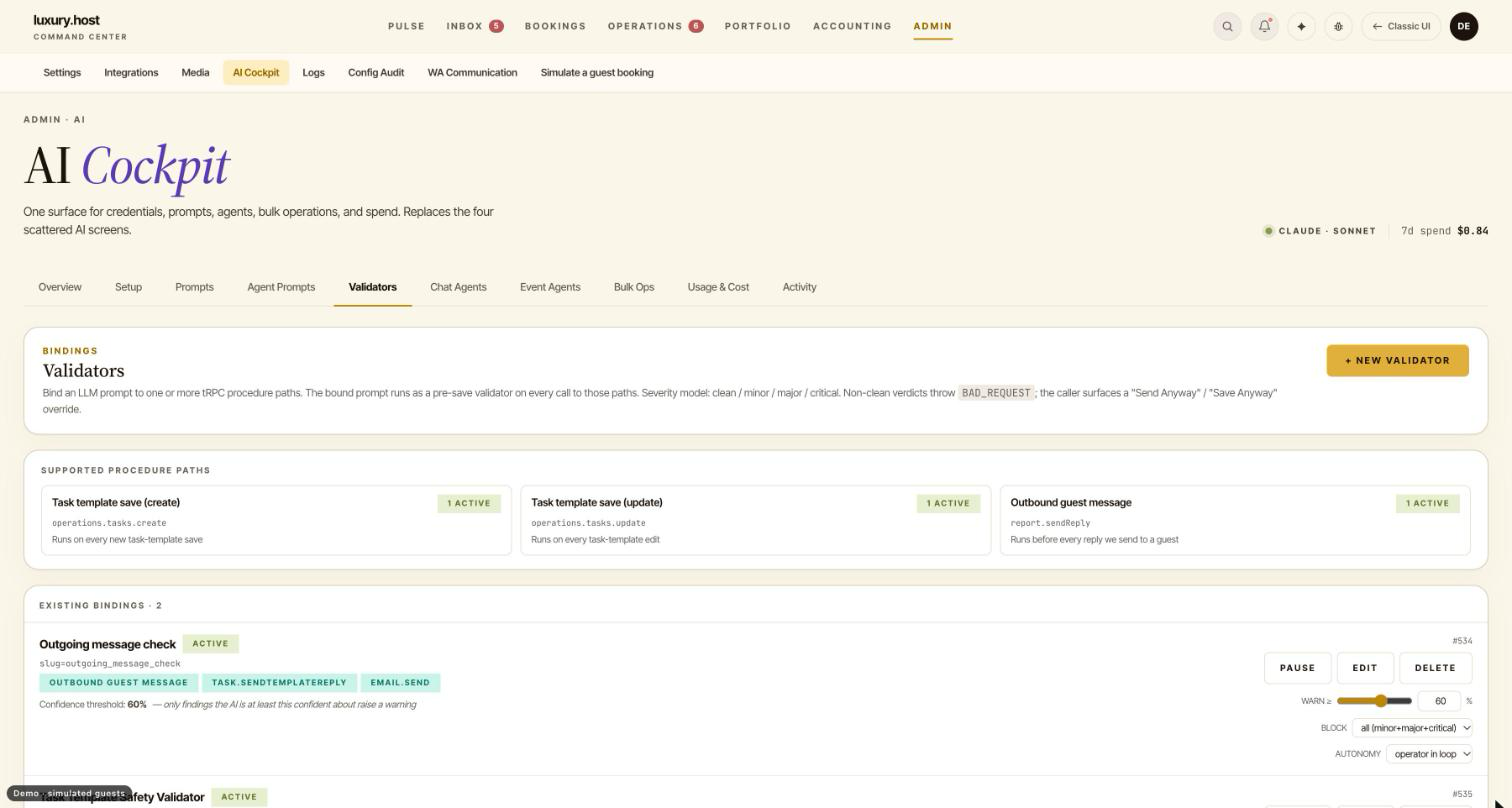 Before a message goes to a guest, the app checks it. This covers every message: guest replies, automatic task messages and messages you send by hand. If the check finds a serious problem, it stops the message and asks you what to do: fix it, send anyway, or skip it. Small problems do not stop the message.
The check gives each message one of three results: clean, has findings, or blocked. What happens next depends on how you set up each message template.
Sections
- Validation verdicts: what the check says about a draft.
- Refine button (Refine / Send Anyway / Dismiss): your 3 options on a blocked draft.
- Autonomous auto-refine loop: when the app fixes the draft by itself, up to a limit.
- WhatsApp block alerts: a WhatsApp message with 3 buttons when a message is blocked.
- Configurable blocking threshold: how strict the check is for each template ("block all / major+critical / critical-only").
One check, two ways of working
All messages go through the same check. You choose one of two ways for each template:
- operator-in-loop: the check shows you the problems, and you choose Refine / Send Anyway / Dismiss.
- autonomous: the AI rewrites the draft by itself (up to 5 attempts), then either sends it or tells you.
You choose this for each template in the Task Templates editor.
What happens to a message
- You type or accept a draft. The app checks it.
- Clean: the message is sent. Has findings (below your blocking level): the message is sent and the finding is saved.
- Blocked: - with operator-in-loop, the Refine / Send Anyway / Dismiss buttons appear; - with autonomous, the AI rewrites and checks again (up to 5 times). If it is still blocked, you get a WhatsApp alert.
When a message is blocked
- A blocked message never marks the task
done. - The task shows the reason and the Refine / Send Anyway / Dismiss options.
- The WhatsApp alert tells you the message was blocked, never that it was sent (see WA block alerts).
Source: the luxury.host operator manual.