What Copilot can change for you
Pulse Copilot can do almost everything you can do on the screens. So you can do your daily work by chatting with it. Reading is instant. Every change waits for your OK.
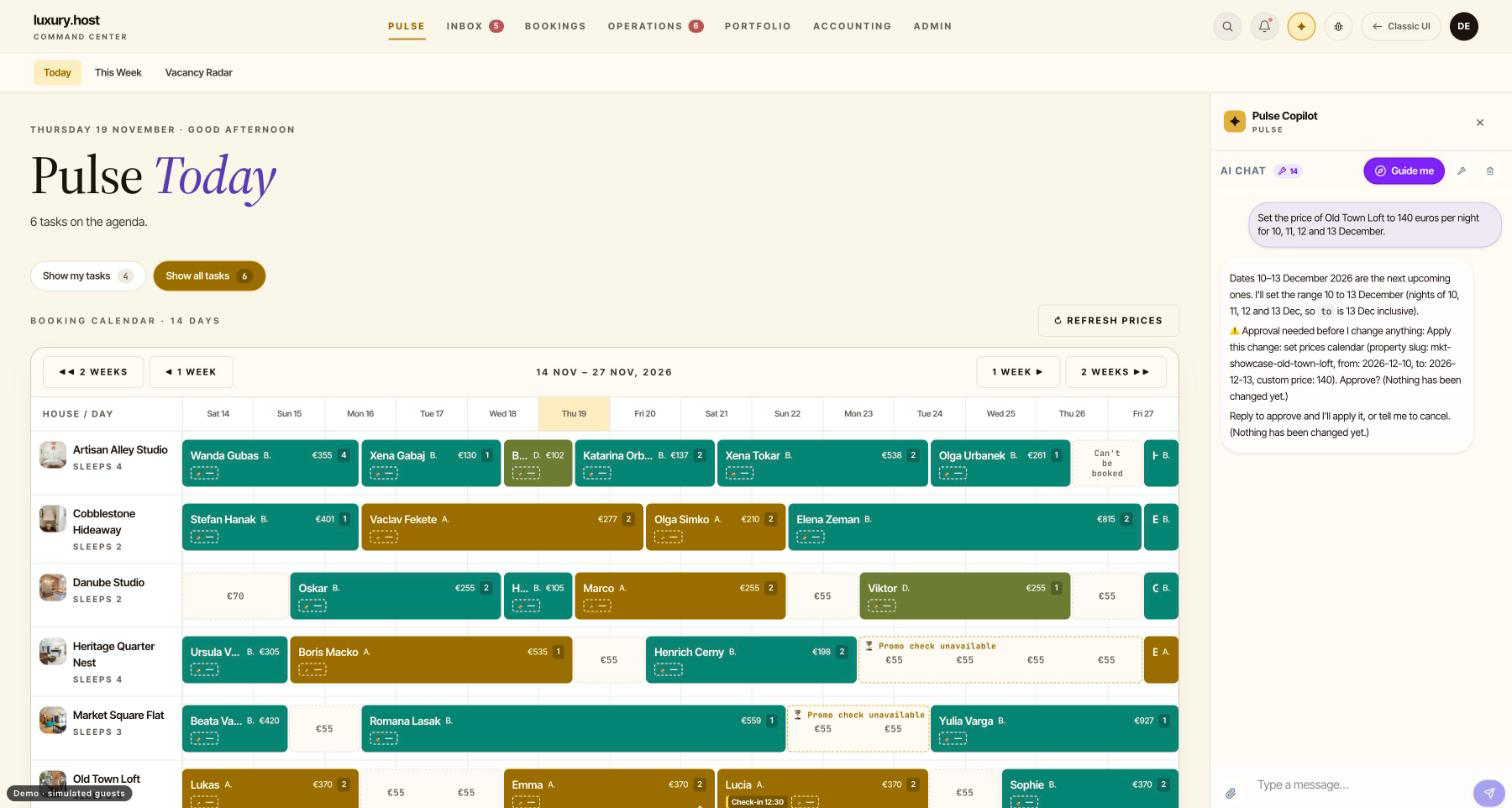
You confirm every change
Every change (edit a task template, update a teammate, change a message template, add an FAQ, change a price, assign a cleaner) waits for your OK before it is saved.
Copilot suggests the change → you see a "Confirm" button with what will change → you tap to save it.
This works the same for every kind of change, whether Copilot uses a ready-made action or another way to do what you asked.
Changes don't overwrite other fields
When Copilot changes a record, it first reads the current record, changes only what you asked for, and saves the whole record. Fields you didn't mention keep their current values.
Approval gate
Copilot's changes need your confirmation. It can never confirm a change itself, not even in the middle of a plan with many steps.
Finding the right item when the name is not exact
When you ask about "the coffee capsule supply" and the real item is "CAFISSIMO 70g FINE AROMA capsules", Copilot searches in this order:
- Exact match
- The words appear inside the name
- Close match (small spelling differences)
If more than one item could match, Copilot asks "Did you mean CAFISSIMO 70g FINE AROMA or CAFISSIMO STR INTENSO?" instead of guessing.
Admin screens Copilot can use
- Email templates: read, and change after your confirmation.
- Pricing: read and change, per property.
- Cleaner assignment: assign a cleaner to a booking.
- FAQ: read, change and create.
- Message templates: read, and change after your confirmation.
- AI Cockpit config: read, and change after your confirmation.
- Change history: Copilot's changes to message templates and teammates show in the audit log, with Copilot named as the one who made them.
Plain language
Copilot never shows you:
- Technical system names
- Internal field names
- Its step-by-step thinking
- Its own hidden instructions
Copilot speaks plain English: "I'll update the check-in template", not technical names.
Lower cost, faster answers
Copilot reuses saved text and keeps long chats compact, so each answer costs less and long chats stay stable. What you notice:
- Lower cost per answer, shown in the Cost dashboard.
- Faster Copilot answers.