Invoices
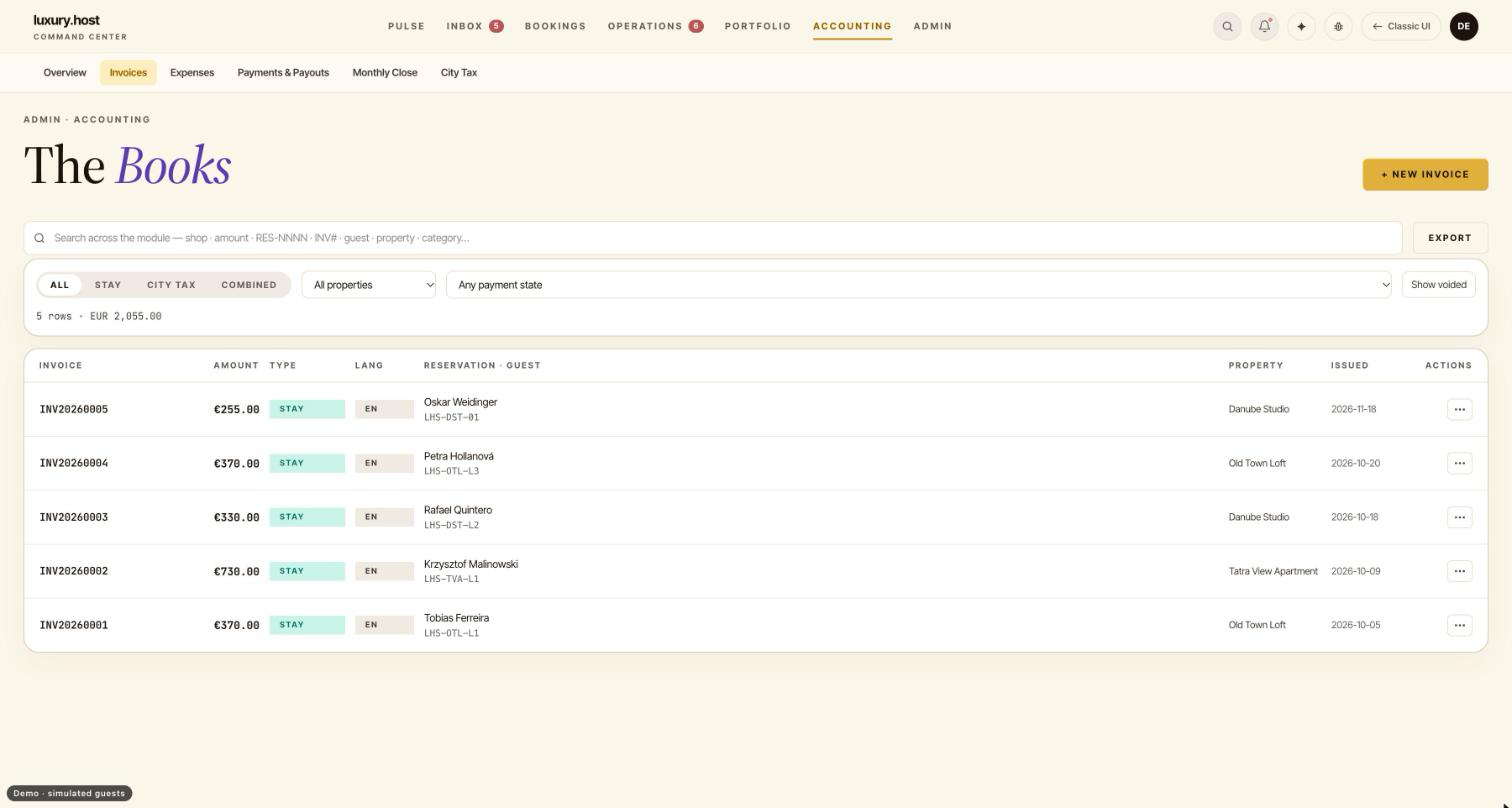
The Invoices tab is where you create, view and re-issue invoices: for guests, for owners, and for city tax.
Generate from reservation
The usual way: open a booking → INVOICE section → GENERATE.
What the form asks for
The Generate from reservation form asks for:
- Guest invoice details: name, email, address. Filled in from the booking, and you can edit them.
- Property: set for you.
- Language: picked from the guest's invoice language, but you can change it.
EN vs SK labels
If the language is English, the whole invoice PDF is in English, including your company (supplier) details.
All labels on the invoice follow the chosen language. If a translation is missing, that label shows in English.
Existing invoices
If this booking already has an invoice, the INVOICE section shows a link to the existing invoice instead of the GENERATE button. The link opens the PDF in a new tab.
To re-issue or correct it: open the existing invoice link, tap RE-ISSUE at the top of the PDF preview, change the fields, save. This makes a new invoice and marks the old one as replaced.
Row actions (the ⋯ menu)
Each row in Books, Invoices has one ⋯ button, the same menu as in Supplies. It has:
- Copy payment link: copies the guest's public invoice link (PDF with payment details).
- Open PDF: opens that page in a new tab.
- History: shows who created, voided or changed the invoice, and why.
- Below a line, in red: Void… (asks for a reason; the invoice keeps its number, leaves the books, and its link stops accepting payment; nothing is sent).
You can't delete an issued invoice (in Slovakia invoices are cancelled, never removed), so there is no Delete. Void it instead. In Show voided, each voided invoice has the same ⋯ menu with History and Unvoid….
Invoice tasks
Some properties use the task template Generate invoice (stay). It creates an invoice task at check-out. The task's summary reads Invoice requested for <property>.
City-tax invoices
City-tax invoices are made once a month per property, all at once. Open the City tax page → pick a month → GENERATE CITY-TAX INVOICES to issue invoices for all bookings of that month.