Team & Access
Smart locks: which brands work
The app works with these lock brands: Nuki, 2N, Tedee, TTLock, SwitchBot and igloohome. The screens and buttons look the same for every brand, but each brand can do different actions (see below). Every failed lock action is shown to you. If a failure is temporary, the app tries again by itself.
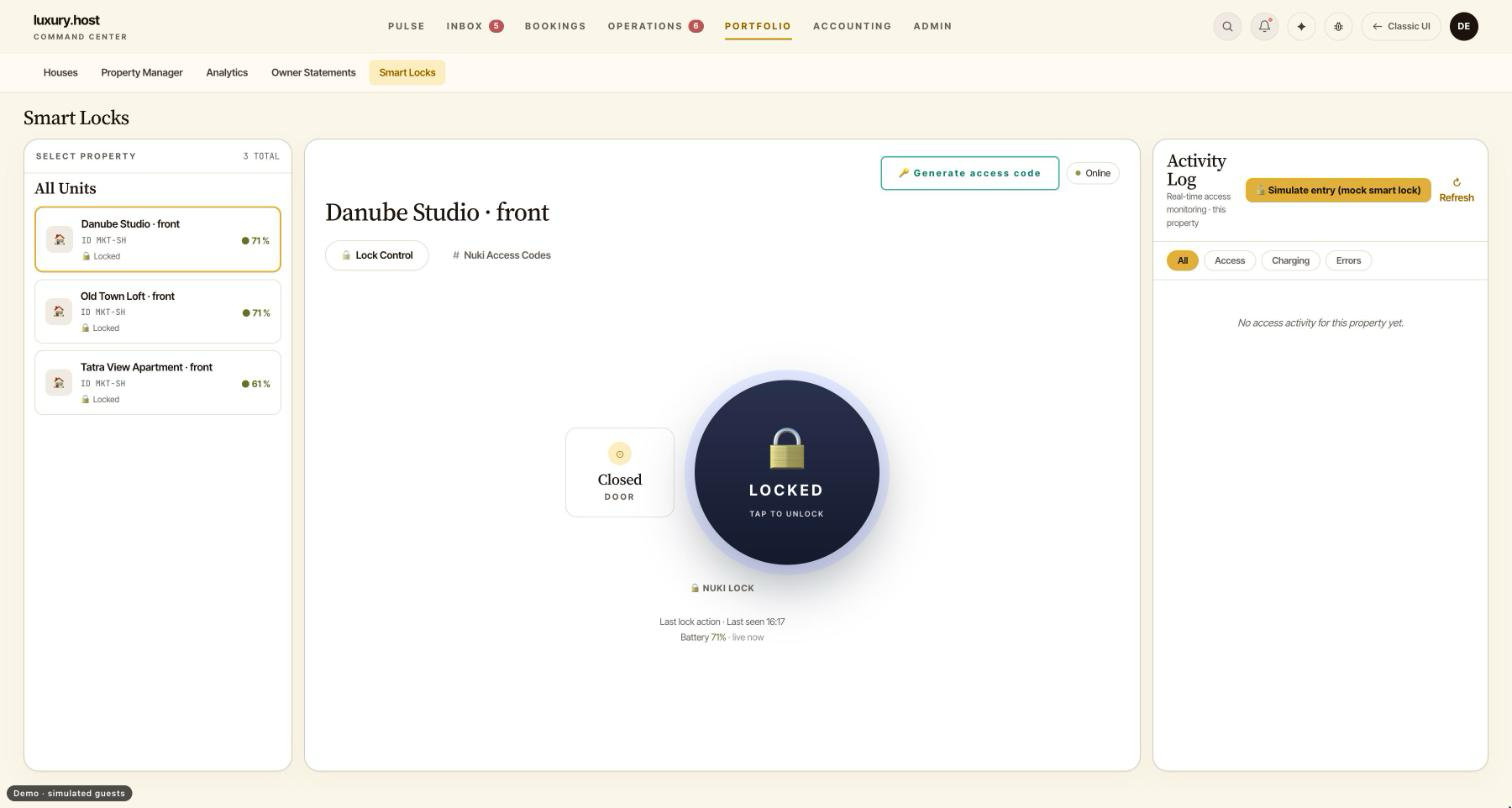
What you see
- The Smart Locks screen shows one card for each property that has a lock.
- Each property has a codes editor, an audit log and an activity log.
- The same buttons for every brand: Generate PIN, Revoke, Test Connection.
When a lock action fails
- Retried automatically: every lock action (make a code, delete a code, open the door, read the activity) is tried up to 5 times when the failure is temporary.
- Never hidden: every lock error is shown on your screen and saved in the error log. A temporary Nuki server error is retried, never quietly dropped.
- Same for every brand: the automatic retries and the error messages work the same for Nuki, 2N and the other brands. Only the list of possible actions differs.
- Another brand: if you use a lock brand that is not on the list, contact support.
What differs between brands
- What each brand can do: each brand supports some of these actions: make a code, delete a code, open the door, read the activity. Not every brand supports all of them. If your property's lock cannot do an action, the Smart Locks screen shows that button greyed out, with a tooltip (the same way as Channel sync shows what each channel can do).
- Brand settings: each brand needs its own details, for example an access token from Nuki or a 2N intercom IP address. You set them for each property in Settings.
Source: the luxury.host operator manual.