Stock tracking
Each property has its own list of supplies. Each supply has a current stock, a reorder threshold and a unit.
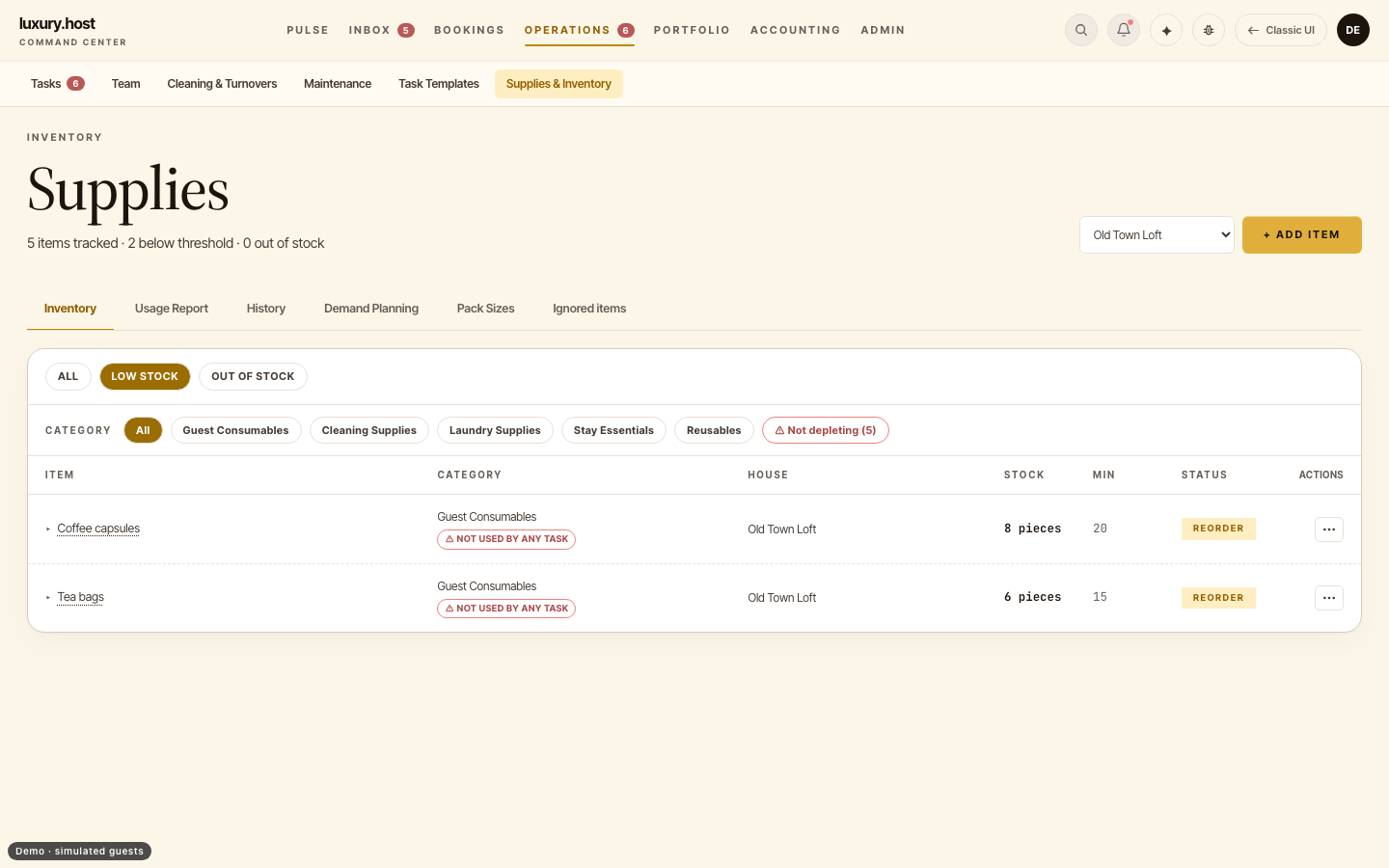
The supply row
| Field | What |
|---|---|
| Property | Which flat the supply is in |
| Name | The name you see (for example "Coffee Capsules", "Toilet Paper") |
| Base unit | pcs / liters / kg: the unit stock is counted in. Packs and rolls count as pieces |
| Current stock | How many there are now |
| Reorder threshold | When stock ≤ this, a restock task is created by itself |
| Auto-close behavior | resolve / discard / off: see Auto-close on restock |
| Last receipt | Link to the receipt that last added stock |
Changing stock by hand
Tap a supply row → Adjust stock. Enter the change (+ or -) and a reason. The stock is updated and the change is logged.
Hand changes work with auto-close too: if you raise stock above the threshold, the open restock task closes (with the close action you chose).
Setting the threshold
You set it for each supply in each property. There is no threshold for all flats; each property has its own.
Tap a supply → Edit threshold → enter the new value. The next automatic check uses the new threshold.
When stock goes down
Stock goes down through:
- A cleaner checklist item:
Take 2 capsules from supply→ -2 capsules. - You taking stock off by hand.
- Automatic use per stay (set in each template).
Every decrease is written to the audit log.
What the cleaner sees
The cleaner sees the stock in the cleaner app. When she ticks an item that uses supplies, the item screen shows the current stock and warns her if it would go below the threshold, so she can report that a restock is needed.