Mobile app
AI Copilot on mobile
The AI tab is the phone version of Pulse Copilot. It is the same assistant, in a chat made for your phone.
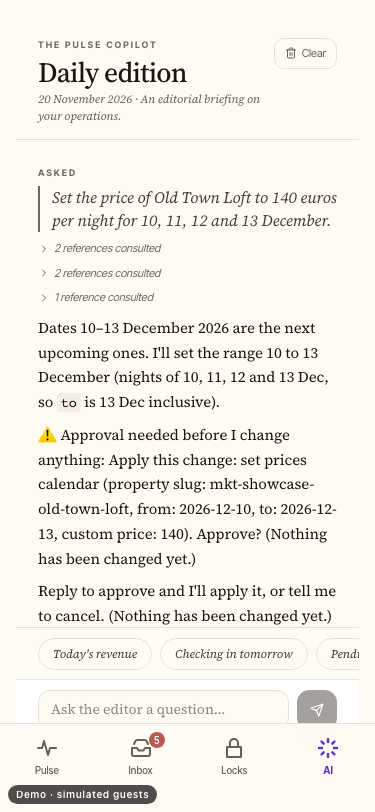
What you can ask it
Anything you would ask on the computer, for example:
- "Show me this week's reservations for Old Town Loft"
- "Generate the city-tax invoice for the Danube Studio for May"
- "Did the guest in Tatra View Apartment get the check-in PIN?"
It can do the same things as on the computer: look up your data, create tasks, and write message templates. It also works with the agents editor, where you choose how each assistant behaves (see AI Cockpit).
How it differs from the computer
- Chat layout: the chat fills the screen, with no side panels. You type at the bottom.
- Tables: tables in the answers show correctly on the small screen.
- Window: always full screen. On the computer you can resize the window.
- Technical details: they are hidden. You only see the answer.
Changing the chat style
The phone chat has a fixed style: how much fits on the screen, the height of the typing box, and the suggested question buttons. You can't change it in the app. If you want a different style, send a request through Bug Report.
Source: the luxury.host operator manual.